GamePit facility instructions
On this page you can find information about reservations and the full list of everything we have to offer.

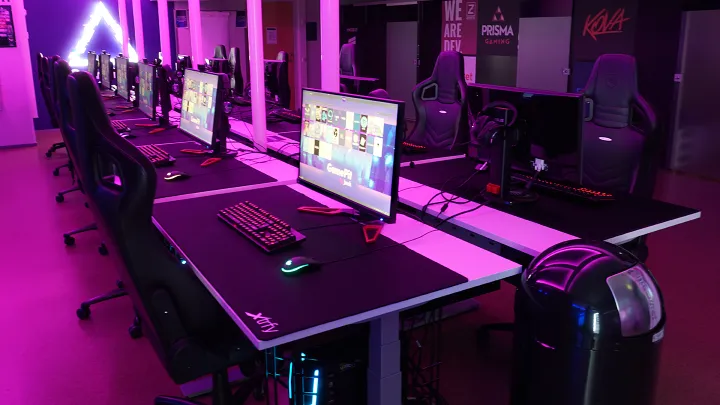
PC-games
Riot Games
- Valorant
- Teamfight Tactics
- League of Legends
- 2XKO
Epic Games
- Fortnite
- Rocket League
- Fall Guys
- Hogwarts Legacy
Battlenet
- Overwatch 2 (also in Steam)
- Call of Duty: Warzone 2.0
- World of Warcraft
- World of Warcraft Classic
- Heartstone
- Starcraft 1, 2
- Diablo 3
- Heroes of the Storm
Steam
- Counter Strike 2
- Dota 2
- Tom Clancy's Rainbow Six Siege
- Apex Legends
- Age of Empires 2 HD
- Aimlabs
- Brawhalla
- Crab Game
- THE FINALS
- Garry’s Mod
- Halo Infinite
- Halo: The Master Chief Collection
- Just Act Natural
- Knockout City
- Left 4 Dead 2
- Old School Runescape (also in Runelite)
- Overwatch 2 (also in Battlenet)
- Payday 2
- Quake Live
- PUBG: BATTLEGROUNDS
- RISK: Global Domination
- Runescape
- SMITE
- Speedrunners
- Splitgate
- Star Wars: Battlefront 2
- Titanfall 2
- Trine 1, 2, 3
- Valheim
- Warframe
- Wardogs
- Wolfenstein: Enemy Territory
- Wolfenstein: The New Order
- Worms Armageddon
- Worms Ultimate Mayhem
Xbox Game Pass
- Minecraft Bedrock Edition
Ubisoft Connect
- Tom Clancy's Rainbow Six Siege (also Steam)
Game Center
- World of Tanks
Battlestate
- Escape from Tarkov
Other
- MTG Arena
- Runelite
- Jagex Launcher
- Pro Pilkki 2
PC-programs
- Spotify
- Blender (also in Steam)
- Gimp 2
- FaceIT/AC (local installation)
- Esportal (local installation)
- OBS
- Streamlabs
- Discord
- Teamspeak 3
- Blitz
PS5 console games
- FIFA20
- NHL20
- Crash Team Racing: Nitro-Fueled
- Crash Bandicoot 4: It’s about time
- Apex Legends
- Brawhalla
- Rocket League


- When you start/restart the computer, wait until the gaming center system view appears on the screen. Do not click anything on the desktop—just wait for iCafe to launch.
- Do not log out of the gaming center system (iCafe) from the top-right corner. If this happens, restart the computer.
- If you want to install your own software, the computers may suggest the E: network drive, but install to the C: drive instead. You may need to add C: as an installation location in applications like Steam. The venue has a fast network, but note that a launcher’s own download servers may not be equally fast.
- Installations made on the E: drive are slow, and launching games on other machines at the same time may cause instability. Installations on the E: drive also do not persist between restarts.
- When you finish using the computers at the end of your reservation, remember to log out of any applications you used, such as Steam, Discord, FaceIT, etc. Our staff will also check the computer afterward.
- For most potential issues, a restart helps. You can do this directly using the small reset button next to the power button.
- You can shut down the computer either by pressing the power button or normally via the Start menu using “Shut Down.”
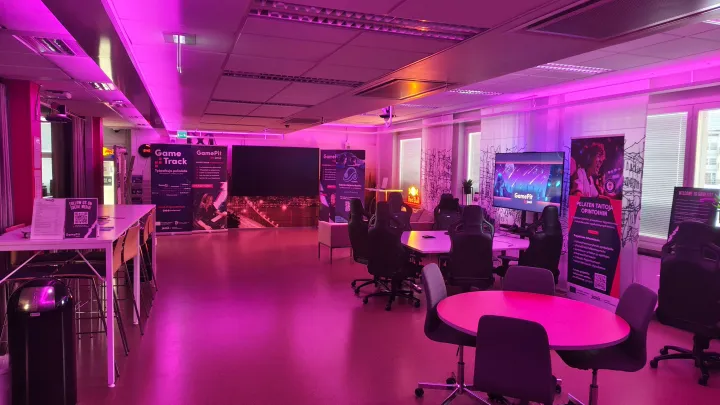

Red Bull fridge contents (drinks) are available as follows:
- Can cooler: The small cooler includes 12 complimentary Red Bull cans as free samples for the entire weekend booking.
- Red Bull drinks from the large fridge: €2.30 per can.
Red Bull products can be purchased by scanning the QR code on the fridge door with your phone. Purchases are checked by GamePit after the reservation, and any unpaid items will be invoiced based on consumption.
- Loading and unloading at the GamePit entrance is allowed for 15 minutes (park next to the railing).
- Parking is available behind Wing C in the designated parking spaces, as shown on the map above.
- Parking behind Wing C is available from Friday at 14:00 until Sunday at 23:59.
- Access through the Wing C doors, following the red line shown on the map, is possible every day from 8:00 to 22:00 with an access card.
- Any exceptions to the parking arrangements (e.g. events lasting over the weekend) will be communicated separately.


Elmo Hämäläinen
Specialist
Business Administration
School of Business
+358504119162
firstname.lastname@jamk.fi

Tuomas Rauhansalo
Senior Specialist
Research, Development & Innovation (RDI)
School of Business
+358505975473
firstname.lastname@jamk.fi
Kari Järviö
Technical Specialist
ICT Services
University Services
+358407014725
firstname.lastname@jamk.fi
Mika Liedes
Senior Janitor
Facility Services
University Services
+358408356156
firstname.lastname@jamk.fi